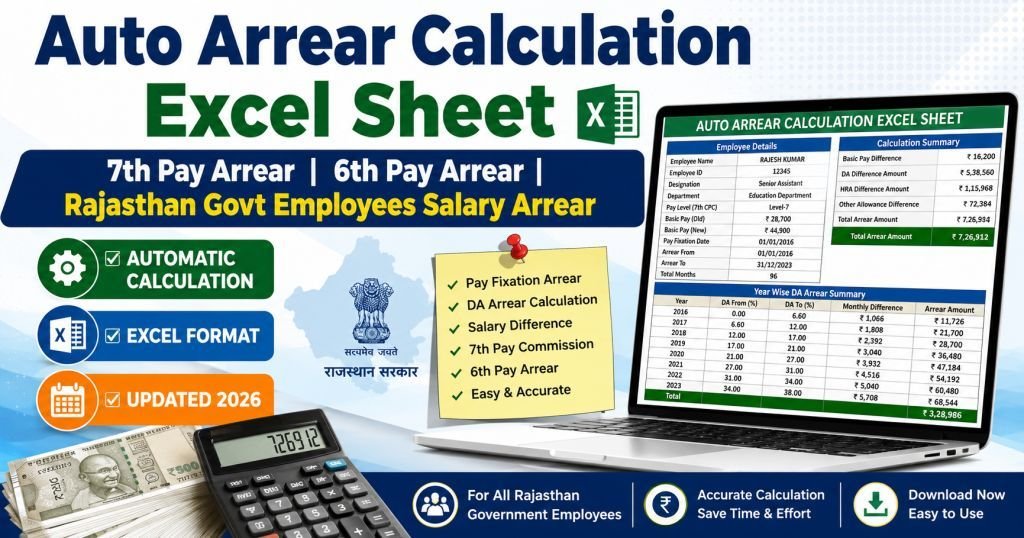
Auto Arrear Calculation Excel Sheet
The Ultimate Guide for Rajasthan Govt Employees
Simplify your 6th & 7th Pay Commission salary difference and DA calculation with automated, error-free Excel tools.
Navigating government pay structures, transitioning between pay commissions, and accurately computing tracking allowances can be a daunting task for public servants. For Rajasthan Government employees, calculating salary differences manually often leads to accounting errors, delayed submissions, and unnecessary stress. Whether it is the transition from the 6th Pay Arrear Excel Sheet formulas to the comprehensive 7th Pay Arrear Excel Sheet matrices, automation is no longer a luxury—it is a necessity.
This comprehensive guide introduces you to the highly sought-after Auto Arrear Calculation Excel Sheet utilities specifically designed for Rajasthan state employees, including teachers, administrative staff, and department personnel. Learn how these tools compute Dearness Allowance (DA) hikes, pay fixation variances, and backdated salary differences seamlessly.
Direct Download: Expert Automated Arrear Excel Tools
Get instant access to the most reliable, community-trusted Rajasthan Employee Arrear Sheets. These workbooks are updated with the latest pay matrices, slab rules, and tax parameters.
Note: Ensure macros are enabled upon opening the sheets for full automated calculation features.Why Do Government Employees Need a Salary Arrear Calculator?
Salary arrears typically accrue when pay revisions are implemented retrospectively. In Rajasthan, this happens frequently due to several administrative milestones:
- Delayed DA Announcements: Central and State Governments frequently announce Dearness Allowance hikes that apply from an earlier backdated month, creating a clear DA Difference Arrear Calculator scenario.
- Pay Commission Adjustments: Transitioning historical tallies from the 6th Pay Arrear Excel Sheet parameters over to the modern 7th CPC Arrear Calculator matrix layout.
- ACP & Promotion Fixations: Assured Career Progression (ACP) or sudden administrative promotions alter the basic pay structure retrospectively, making a specialized Pay Fixation Arrear Calculator vital.
Key Features of an Excel Arrear Tool
A reliable Government Employee Arrear Sheet isn't just a basic grid; it is a meticulously programmed financial engine. Premium sheets like those curated by Parmanand Meghwal and Heera Lal Jat offer structural advantages built right into Microsoft Excel:
| Feature Block | Functional Benefit for Employees |
|---|---|
| Automated Pay Matrix Matching | Select your Level (L-1 to L-23) and seamlessly match corresponding basic salaries. |
| Dynamic DA Tables | Pre-configured percentage scales adjust based on historical timelines automatically. |
| Deductions & CPF/NPS Tracking | Maintains correct percentage allocations for statutory pension funds or insurance directly from computed differentials. |
| Print-Ready Form 10E Inputs | Break down tax liabilities into financial year divisions easily to claim relief under Section 89(1). |
How to Use the Rajasthan Salary Arrear Calculation Sheet
To safely navigate your Employee Arrear Calculator without corrupting underlying VBA scripts or cellular logic arrays, follow these structured steps:
- Input Basic Parameters: Navigate to the configurations master tab and enter your designation, corresponding current Pay Matrix Level, and target periods.
- Define "Drawn vs. Due" Figures: Fill out the columns specifying the exact salary amount you already drew during the target timeframe alongside what you were genuinely due based on new mandates.
- Verify Allowances: Let the DA Arrear Excel Sheet architecture populate difference totals for HRA, CCA, and relevant regional allowances automatically.
- Review Deductions: Check dynamic ledger cuts like State Insurance (SI), General Provident Fund (GPF), or NPS accounts before concluding computations.
- Export & Submit: Print the generated systematic summaries directly for DDO authentication and payroll clearing.
Pro Tip for Raj Teachers Arrear Calculator Users: Always align your initial basic updates explicitly with the precise date of your annual increments (usually July 1st) to prevent subtle, compounded calculation mismatches down the line.
Final Words
Instead of manually working through long math formulas, downloading an optimized Excel Salary Calculator or specialized Arrear Calculation Tool saves valuable time and ensures complete audit-proof accuracy. Leverage the vetted formulas built straight into the downloadable options featured above to secure precisely what you have rightfully earned without any administrative delay.